0 bytes
readable by us
the automatic family organizer
The calendar, the to-dos, the shopping list and the plans in between — in one app with an assistant you just tell. Say “swim moves to Thursdays at four” once and the event, the reminder and the kit list make themselves, shared with whoever needs them. Ask in June about something you said in March and it finds the thread. All of it stays locked on your devices — what reaches our server, not even we can read.
macOS · Windows · iPhone · Android — free to start, $3/mo takes every cap off
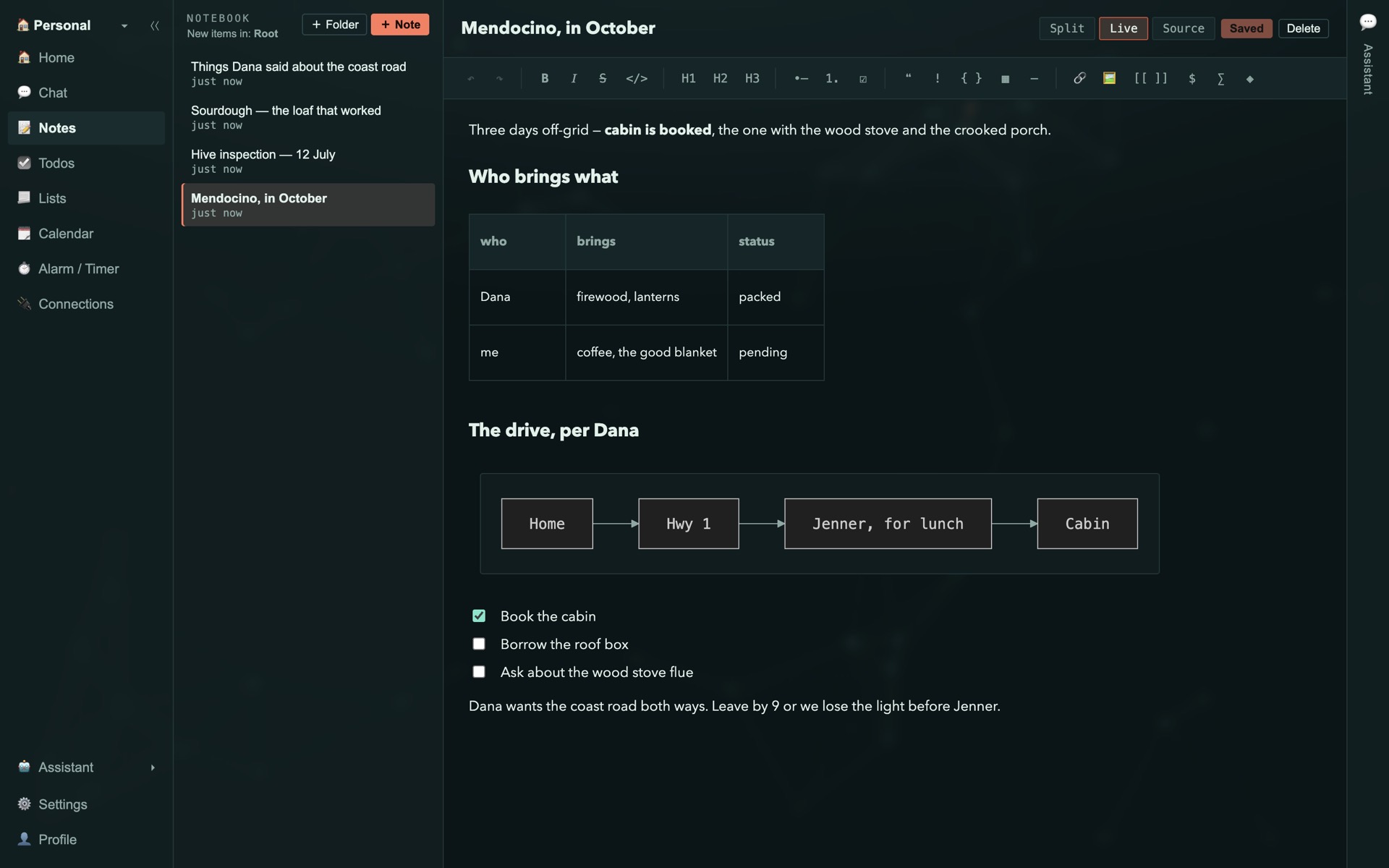
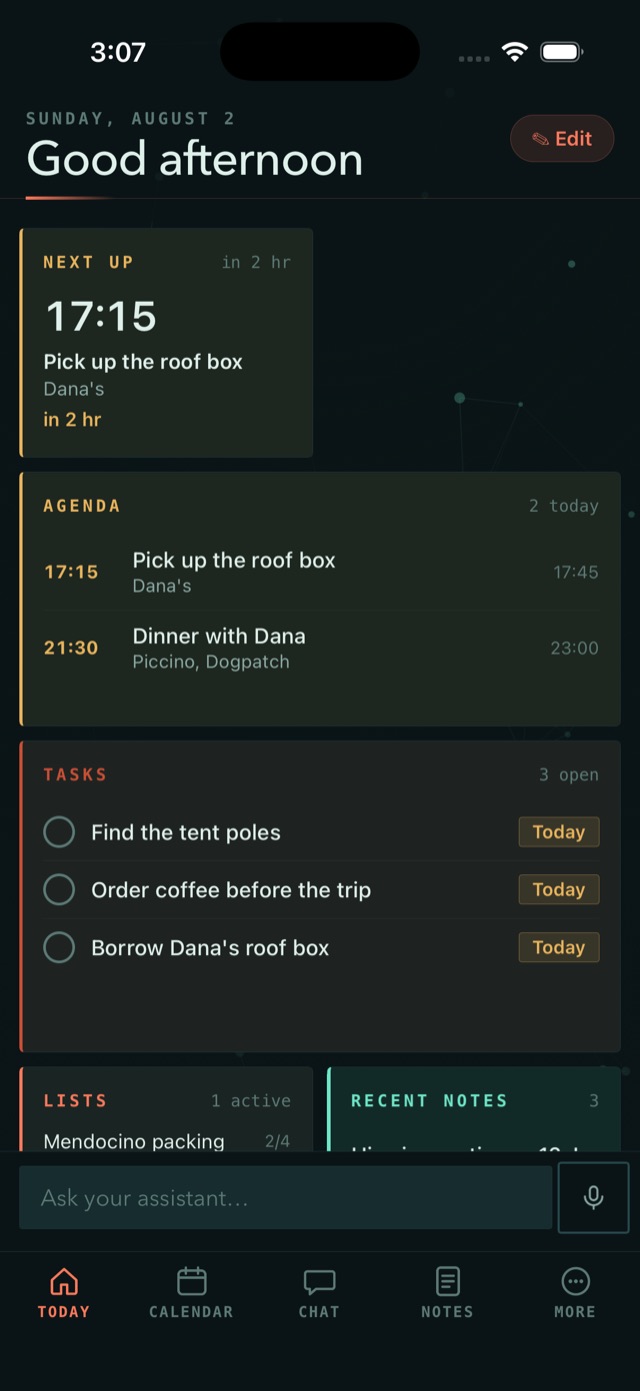
macOS · the note editor / iOS · the Today wall
follow the thread
0 bytes
readable by us
100%
of search, on your device
12 words
the entire key
$3/mo
for every cap off
the memory
You don't file anything. Tell the assistant the way you'd tell a friend — the aside about the vet, the date buried mid-sentence, the thing you promised Dana — and the calendar entry, the todo, the list item and the memory create themselves. Every capture is visible and every one is reversible.
Called the vet back — Juno's booster is Thursday at 4, they moved it from the 12th. Dana can't take her, so that's on me. Also we're out of the salmon food — get it before then, she won't touch the chicken one.
one telling, four things created — hover a card to see how the telling was read
what did Dana say about the coast road?
3 linked from 1,284 captured
capture
Dates, promises, preferences and names get picked out of whatever you say — in chat or mid-note — and become events, todos, list items and memories. Each one lands as a normal entry you can read, edit or throw away.
recall
You don't need the right keyword, the title, or the date. Ask the way you'd ask a friend and it comes back with the thing you meant — whether you wrote it down last week or mentioned it in passing back in March.
forget
Ask it to forget something and it's gone from every device you own — not archived, not hidden away somewhere, gone. And only you hold the key to any of it.
the notebook
The assistant writes most of your notes for you — and when you'd rather do it yourself, notes are a real editor, not a text box. Type Markdown and it renders in place — tables line themselves up, checklists tick, and a fenced diagram becomes an actual diagram.
Mendocino, in October
| who | brings | status |
|---|---|---|
| Dana | firewood, lanterns | ✓ packed |
| me | coffee, the good blanket | pending |
mermaid · rendered
always in step
Check something off on your phone and it's checked on your Mac before you look up. Every note, list and plan finds its way to every device you own — no save button, no sync button, no cloud folder to babysit.
There's no “sync now” button anywhere in Synapie. There doesn't need to be.
try it — check something off, on either device
the assistant
Synapie's assistant doesn't live in a separate tab. It works right inside your notes, todos, lists and calendar, so asking it to reshuffle your week actually reshuffles your week — and it tells you exactly what it touched.
you
synapie
written into “World Cup 2026” · rendered
one ask · notes, calendar, todos and memory updated · every touch listed
sealed
Synapie encrypts on your device and hands the relay a sealed envelope. Not just the body of a note — the title, the tags, the attachments and the names of your lists too. Everything on the right is what our servers actually store.
on your device
Dana's ring size is 6½ — the jeweler on Fillmore closes at 6. Ask about resizing before Friday.
what our server holds
your key, and only yours
your rooms
One app connects all of it — and rooms are the one place you cut the wire on purpose. Work, home and the journal nobody reads, each with its own data, its own settings and its own key, encrypted at rest. Switch rooms in a tap.
tap a room to step inside · the journal stays blurred — in the app, only your passphrase opens it
on your machines
The same store, the same assistant, the same keys — on a desktop built for a full day's work and a phone built for the thirty seconds you actually have.
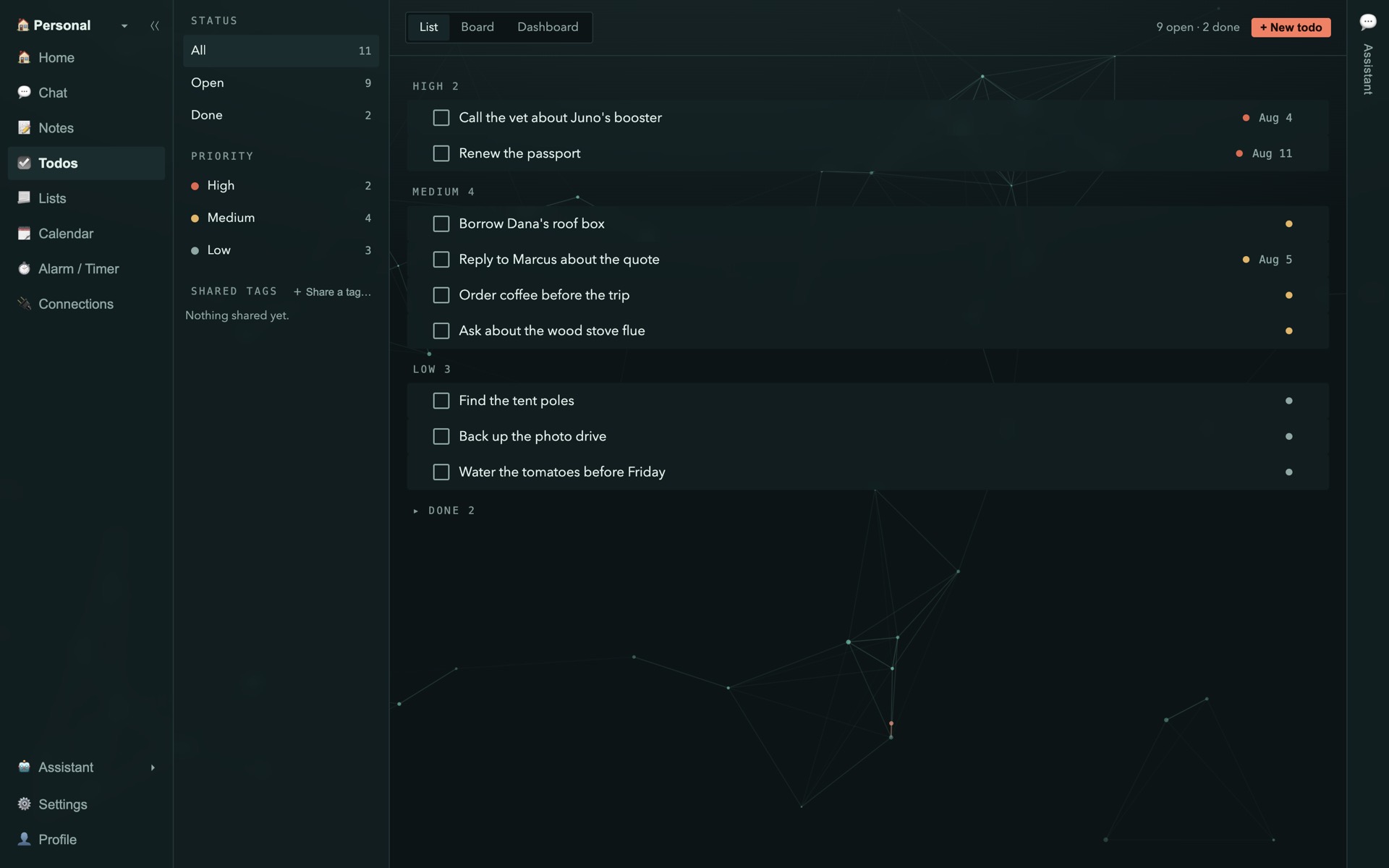
desktop
The full surface — notes with a real editor, board and dashboard views, plugins, scripts and the assistant.
Native, not a wrapper. The Today wall, the same editor, and recall that works with no signal at all.
the model
Hosted frontier models the moment you open it — credits included, nothing to set up. The on-device model is free on every plan; on wired, point it at your own key or a model you host yourself.
extensible
Teach it a new service once and it keeps the skill. Everything a plugin can reach, you approved first.
pricing
The free tier isn't a trial that expires — it's the whole app, fully encrypted, forever, with one room and two devices. Three dollars a month takes the ceiling off: every room you want, six devices, everyone in your contacts.
free · solo
$0 / forever
The whole app, free for keeps.
wired
$3 / month
The same app, with nothing capped.
Sign in with Google, pay by card. Nothing to install first — or start free and upgrade whenever.
cancel anytime from your account page — notes are plain Markdown and everything exports, so you can walk away whole.
You lose the data that only exists in the cloud. We can't reset it, because we never had it — that's the same property that stops us reading your notes. Write the twelve words down somewhere physical when you set up. Any device still signed in can also hand a new one everything directly.
Only if you ask it to. Capture and recall run entirely on your device. When you do ask the assistant something, only the notes it needs travel over an encrypted connection, and only to answer that question. Prefer that nothing leaves at all? Use the built-in local model, which is free on every plan — or, on wired, point Synapie at your own key or a model you host yourself — and even your questions stay home.
What it costs to run a question on our servers, priced at what we pay. Free gets $2 once, when you sign up; wired tops you up $5 every month. The built-in on-device model costs nothing and never touches credits, so running out never stops the app working — it only stops our servers answering.
Ciphertext, its size, and when it arrived — plus whatever your payment method tells us. Titles, tags, list names and attachments are all encrypted before upload. There is no "just this once" access path, because no key of yours ever reaches us.
No. Notes are Markdown files and everything exports as plain, readable data — no proprietary envelope. If you leave, you leave with everything.
Yes, indefinitely. Writing, search, capture and recall are all local. Sync is a background reconciliation that catches up whenever you're back — not a prerequisite for the app doing its job.
the thread's open
Install it and tell it one true thing about your family's week. The event, the reminder, the list and the memory will be waiting. Free on every platform, no account needed to begin.
On an Intel Mac? Download the Intel build. On a Mac? Get it for Apple Silicon or Intel. On Windows? Download the installer. On Linux? Grab the AppImage. The app keeps itself up to date automatically — new versions install themselves in the background.
free forever on two devices · $3/mo takes every cap off · no card to start